

Author: @atilayberber
Think about how you work in a terminal. You run programs, the programs read and write files, and both the programs and the data live in the file system.
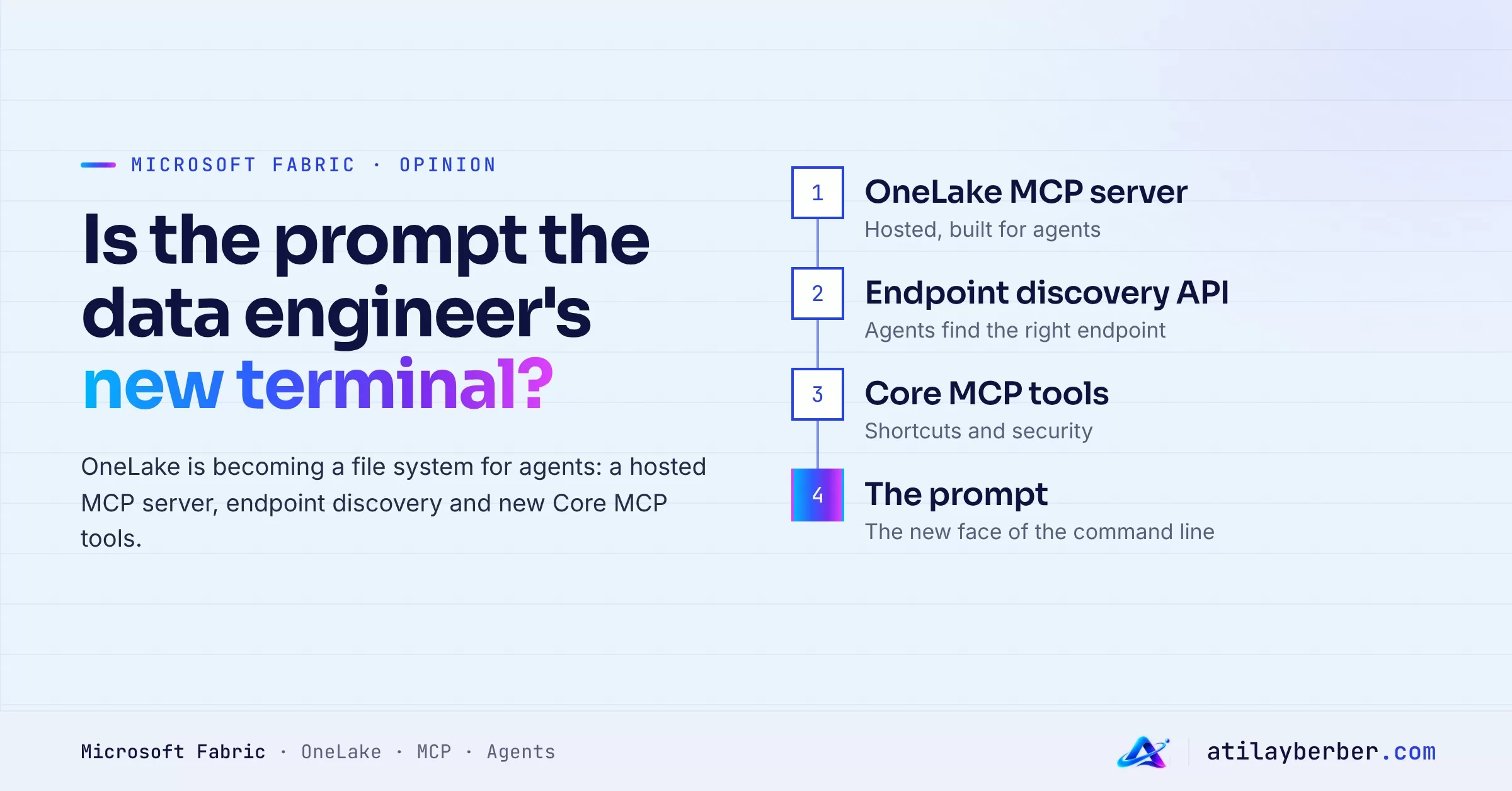
Microsoft’s OneLake team is applying that picture to data engineering: OneLake is the file system, Fabric engines are the programs, and the AI prompt is the terminal. The features released over the last few weeks all serve that idea.
I discussed the bigger picture of agentic data engineering, and Osmos, in this post. This one is more concrete: what can an agent actually do in OneLake today, and with which tools?
In short
- Hosted OneLake MCP server (preview): agents can explore and manage OneLake data without installing a local server. The local option is still there.
- New tools in the Fabric Core MCP server: shortcut management and OneLake security.
- Endpoint discovery API (preview): for any item, returns which Fabric engines are available and how to connect to them (a skill, an MCP server or an engine endpoint).
- The result: an agent can find the right data, connect to the right engine and answer from a single prompt.
- Everything runs within your existing permissions; the agent can’t see what you can’t.
Three pieces, one flow
1. Managing OneLake: the hosted MCP server
MCP (Model Context Protocol) gives AI agents a standard way to connect to tools. OneLake now offers an MCP server hosted in the cloud, so GitHub Copilot or any other MCP-compatible client can connect without installing anything.
In Microsoft’s example, the agent gets one sentence: “Document what’s in the House Price Open Mirror in my UK Property Data workspace.” It finds the workspace, discovers the table schema, maps the underlying files and checks replication health.
With the new OneLake security tools in the Core MCP server, the documentation can cover security too: the agent can list the roles and permissions applied to a table.
I covered the Fabric Core MCP server going GA in my Fabric September 2026 update post. What’s new here is OneLake’s own hosted server and the shortcut and security tools.
2. Knowing how to query: the endpoint discovery API
Access isn’t enough; an agent also needs to know the best way to query the data. Should it hit a mirrored database with T-SQL, with Spark, or go straight to the Delta files?
The endpoint discovery API answers that. For an item, it returns:
- The Fabric engines available for it and which one is recommended (SQL Analytics for a mirrored database, for example).
- For each engine, the MCP server address, a suggested skill (such as
sqldw-cli) and connection endpoints. - For OneLake itself, DFS, Blob, ABFS, Delta (Unity Catalog compatible) and Iceberg REST endpoints.
So the agent doesn’t need hard-coded knowledge of which item type supports which engine; it asks. In Microsoft’s example, GitHub Copilot uses the skill returned by the discovery API to turn “How many houses were sold in Hampshire in 2020?” into the right T-SQL query.
3. Bringing data together: shortcuts and shortcut transforms
To be queried through OneLake, data doesn’t have to live in OneLake. Shortcuts reach external data without a copy, and shortcut transforms turn files such as CSVs into tables without code, keeping the tables current as the files change.
Microsoft’s end-to-end example goes like this:
- Using the user’s existing SharePoint connection, the agent creates a shortcut to a CSV folder in OneDrive and turns it into a table with a shortcut transform.
- It creates a second shortcut to a table in a mirrored database (mirrored databases are read-only, so a new lakehouse is created to hold both).
- It answers a question that combines the two sources.
- It runs a correlation analysis on the lakehouse’s Spark endpoint, picking the Spark CLI skill returned by the discovery API.
The blog post ends the walkthrough by noting that all that’s left is to check the results. To me, that’s the most important line in the post.
What changes?
None of these tools is a revolution on its own. Together they change one thing: the data platform is now designed for two kinds of users, people and agents.
- Discovery gets cheap. “Where is this data, what’s its schema, which engine should I use?” is one prompt away.
- Platform knowledge moves out of code. With the discovery API, agents don’t need to memorize Fabric’s item types.
- Open formats matter more. Iceberg REST and Delta endpoints mean an agent can reach the data with non-Fabric tools such as DuckDB too.
What to watch
- Permissions matter more than ever. The agent works with your permissions. An agent running under a broadly privileged account is a broadly privileged automation. Review what your own user can reach.
- Writes are real. The agent in the example creates a lakehouse, shortcuts and tables. That consumes capacity and clutters workspaces. Run agent experiments in a separate workspace.
- Validation is on you. The correlation in the example may have run correctly, but the agent can’t know whether the question was framed correctly. Check a statistical result before it reaches someone who’ll make a decision on it.
- Preview. The hosted OneLake MCP server and the discovery API are in preview; behavior may change.
My take: is the prompt becoming the terminal?
Partly, yes. For discovery, documentation and one-off analysis, the prompt is a real candidate for the new terminal. Tasks like “document this mirror” or “list the security rules on this table” take hours today and drop to minutes with an agent.
Production pipelines are different. There, repeatability, version control and testing are what count. Turning something an agent did successfully once into code, a pipeline or a materialized view is still the data engineer’s job. My expectation: agents will take over the discovery and prototyping layer, and engineers will be the people who turn those prototypes into reliable systems.
The rule SQLBI set for DAX applies here too: use the tool when it saves time, but keep the definition of correct behavior under human control.
Where to start
- Create a separate test workspace for agent experiments.
- Connect GitHub Copilot, or whichever MCP client you use, to the hosted OneLake MCP server.
- Start with a read-only task: have it document a lakehouse or a mirror.
- Then use the discovery API to see which engines an item supports.
- Only after that, try tasks that write (creating shortcuts or a lakehouse).
How much access would you give an agent for data discovery: read-only, or workspace contributor? Tell me on LinkedIn.