
Author: @atilayberber
We’ve been building the same architecture for years. Application data lives in an operational database (often PostgreSQL or SQL Server), a nightly ETL job moves it into the warehouse, and analysis happens the next morning. Then the moment an analytical result (a customer risk score, a recommendation, a segment) needs to flow back into the application, a new integration project starts.
Microsoft Fabric HorizonDB, announced at Ignite on November 17, 2026, aims to put both worlds on the same platform. HorizonDB is a managed PostgreSQL service inside Fabric, and it’s currently in public preview. In this post I cover what it is, how it talks to OneLake, walk through its most interesting piece, federated queries, step by step, and lay out where you should stop during the preview. Everything here comes from the HorizonDB documentation on Microsoft Learn (updated November 17, 2026) and the Ignite Book of News.
In short
- What: A Microsoft-managed PostgreSQL database that runs as a native Fabric item. In the portal: + New item → HorizonDB database (preview).
- Compute: You don’t pick a size; the platform autoscales. Where scale to zero is enabled, an idle database can pause and resume on the next connection.
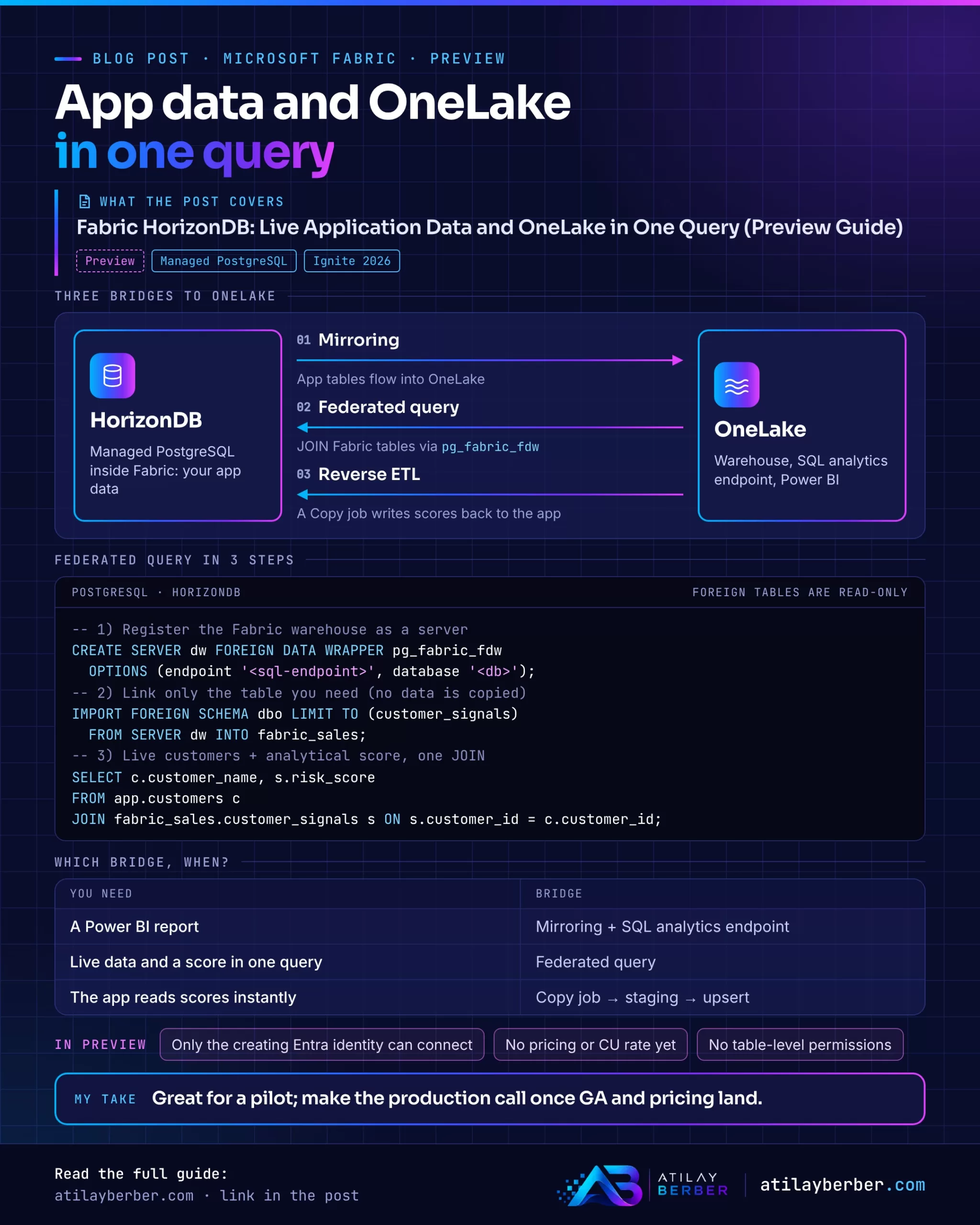
- Three paths to OneLake: mirroring (HorizonDB → OneLake), federated queries (reading Fabric data from inside PostgreSQL) and data delivery with a Copy job (Fabric → HorizonDB, i.e. reverse ETL).
- AI-ready: The
vector,pg_diskannandpg_textsearchextensions are in the catalog. - Preview realities: Only the Entra identity that created the database can connect, no pricing or CU rate has been published, and there’s no table-level permission management.
What is HorizonDB, and why now?
The Learn definition is short: “Fabric HorizonDB is a managed PostgreSQL service in Microsoft Fabric. Each HorizonDB database is a native Fabric item.” So it sits in a workspace like a lakehouse or a warehouse and runs on Fabric capacity.
The Ignite announcements make its role clearer. Fabric apps became generally available the same day, and the Book of News positions HorizonDB as the default database backend for Fabric apps. Microsoft wants Fabric to be a platform where business applications run, not just analytics, and an application needs its own transactional database. I discussed that direction in Will Fabric Apps replace Power BI reports?; HorizonDB is the missing piece of that conversation.
The scenarios on Learn point the same way: autoscaling operational apps, mirroring for reporting, joining local data with Fabric data, reverse ETL, and AI apps with vector and text search.
Architecture: the three paths of Federated Analytics
Learn describes the whole thing as Federated Analytics and makes an important point: each of the three paths has its own, independent health. If one stops, the others can keep running.
| Path | Direction | What it’s for |
|---|---|---|
| Database mirroring | HorizonDB → OneLake | Eligible tables are copied asynchronously to OneLake and a SQL analytics endpoint; reporting happens there |
Federated queries (pg_fabric_fdw) | Fabric → PostgreSQL (read) | Reads Fabric warehouse or SQL analytics endpoint tables inside a PostgreSQL query |
| Data delivery (Copy job) | Fabric → HorizonDB (write) | Moves analytical results into the application database (reverse ETL) |
What I like about this trio is that “bringing analytics back into the app” stops being a separate integration project. But each path has its own limits, so let’s go through them one by one.
1. Connecting
The preview has a few rules, and they’re exactly where everyone trips up on the first try:
- Use the PostgreSQL endpoint for application connections. Learn is explicit: “Don’t use the SQL analytics endpoint for operational connections.”
- Use
postgresas the database name, not the item’s display name in Fabric. - Authentication is Microsoft Entra only, and during the preview only the identity that created the database can connect. Other users, service principals and managed identities can’t. Learn also tells you not to create password logins to work around a missing mapping.
- Tools: the Fabric SQL editor, the Microsoft PostgreSQL extension in Visual Studio Code (with “Entra Auth”), psql and Python (Psycopg 3).
Your first check after connecting:
SELECT
    current_database() AS database_name,
    current_user AS signed_in_user,
    current_setting('server_version') AS server_version;
You don’t choose the PostgreSQL version; the service manages it, and there’s no major-version upgrade workflow in the preview.
2. Federated queries: reading Fabric data from inside PostgreSQL
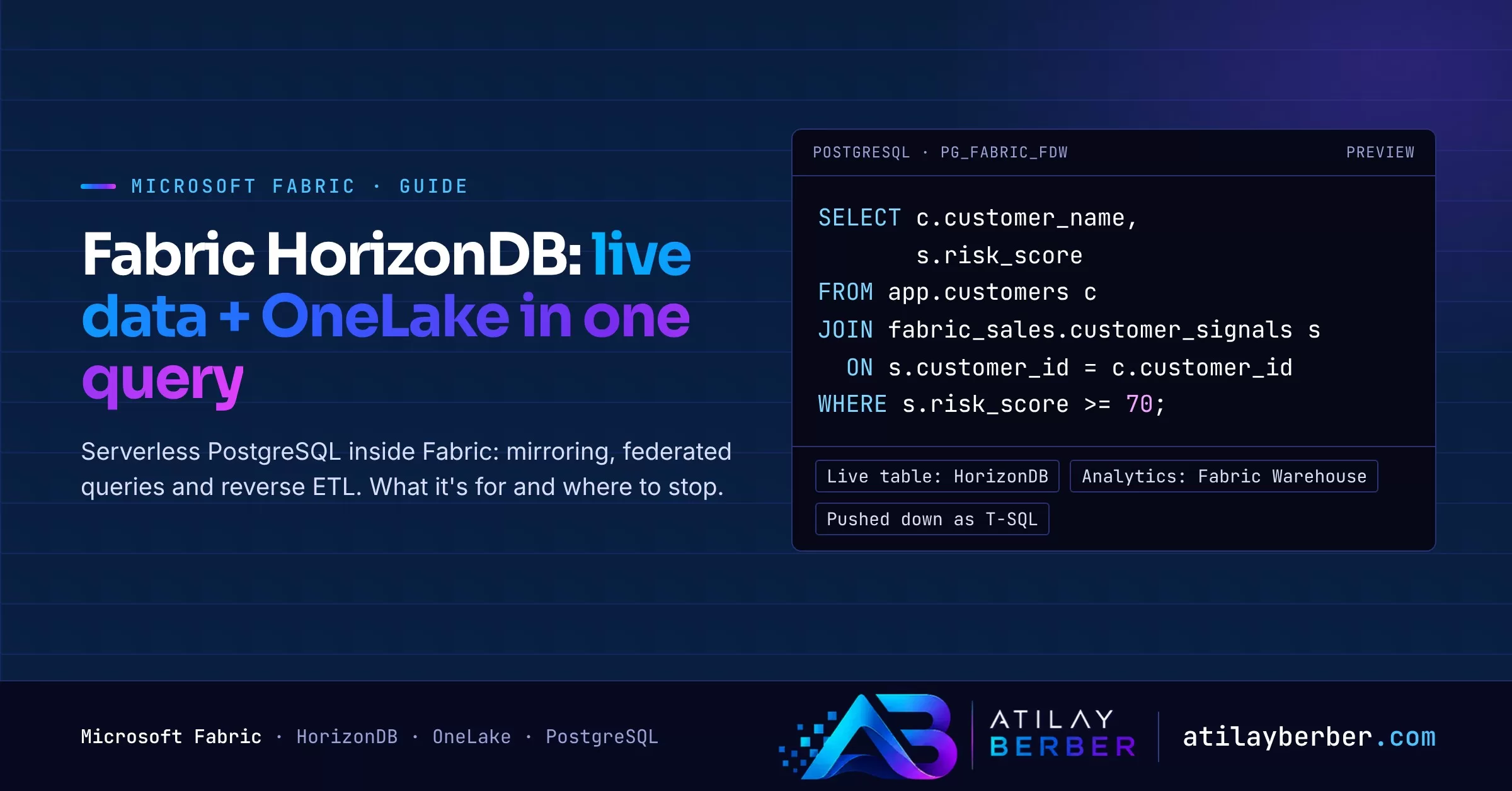
This is what sets HorizonDB apart from other managed PostgreSQL services. pg_fabric_fdw is a foreign data wrapper. You define a “foreign table” in PostgreSQL, and when you query it, the eligible parts are translated into T-SQL and run in Fabric over a TDS connection, while PostgreSQL finishes the rest locally. That’s what Ignite meant by “translytical”: live transactional data and analytical data in one query.
Say your application’s customer table lives in HorizonDB, and the risk scores your data team calculates live in a Fabric warehouse (database sales_analytics, table dbo.customer_signals). First, define a server for the warehouse:
CREATE SERVER customer_signals_dw
    FOREIGN DATA WRAPPER pg_fabric_fdw
    OPTIONS (
        endpoint '<warehouse-sql-endpoint>',
        database '<warehouse-sql-database-name>'
    );
Then import only the table you need into a local schema. This step doesn’t copy any data; it only brings over the metadata (the table definition):
CREATE SCHEMA IF NOT EXISTS fabric_sales;

IMPORT FOREIGN SCHEMA dbo
    LIMIT TO (customer_signals)
    FROM SERVER customer_signals_dw
    INTO fabric_sales
    OPTIONS (database_name 'sales_analytics');
And now it’s a single query:
SELECT
    c.customer_id,
    c.customer_name,
    s.risk_score,
    s.recommended_action,
    s.calculated_at
FROM app.customers AS c
JOIN fabric_sales.customer_signals AS s
  ON s.customer_id = c.customer_id
WHERE s.risk_score >= 70
ORDER BY s.risk_score DESC
LIMIT 20;
Here app.customers is the live table in HorizonDB and fabric_sales.customer_signals is the analytical table in the Fabric warehouse. Use EXPLAIN (VERBOSE) to see what gets sent to Fabric; the pushed-down part shows up in the plan as a “Fabric SQL” line.
There’s also a ready-made server for your own database’s mirror: fabric_dw targets HorizonDB’s own mirrored SQL analytics endpoint. For other warehouses, you define your own server as shown above.
Guardrails
Two settings are recommended so you don’t accidentally pull millions of rows into PostgreSQL:
SET fabric_fdw.max_retrieved_rows = 100000;
SET statement_timeout = '30s';
max_retrieved_rows defaults to 0 (no cap), and according to Learn it’s an estimate-based planning check, not an exact runtime limit. Think of it as a seatbelt, not a hard wall.
Limits of federated queries
- Foreign tables are read-only: INSERT, UPDATE, DELETE, MERGE, COPY and
FOR UPDATE/FOR SHAREaren’t supported. - Supported warehouses and SQL analytics endpoints can be sources; not every Fabric item is supported. There are no distributed transactions.
- Regex predicates and recursive CTEs are rejected.
- Time values with seven fractional-second digits can’t be imported.
- Text collation, UUID ordering, integer averages and trailing spaces can behave differently in Fabric. An integer average pushed down to Fabric may not match the same query run purely in PostgreSQL, so test critical calculations on both sides.
3. Mirroring and Power BI
Mirroring copies eligible HorizonDB tables asynchronously to OneLake and a SQL analytics endpoint: an initial copy first, then committed changes. Learn gives two warnings: no numeric freshness guarantee has been published, and only eligible tables, keys, data types and DDL operations are supported. A change that makes a table ineligible can suspend mirroring or require a reseed.
For Power BI, the guidance is clear: build reports from the read-only SQL analytics endpoint so analytical queries don’t compete with the application on the PostgreSQL endpoint. Where the experience offers Direct Lake for the selected source, queries go to the OneLake copy instead of PostgreSQL. A simple measure helps you show freshness in the report:
Latest source timestamp = MAX('orders'[created_at])One note: permissions on HorizonDB and permissions on the mirrored analytical copy are managed separately. If you need row-level security, set it up in the semantic model or the SQL analytics endpoint.
4. Reverse ETL: from Fabric to HorizonDB with a Copy job
A federated query goes to Fabric on every request. If your application must read scores in milliseconds, copying the result into HorizonDB is the better choice. That’s what the Copy job is for. In the preview you pick Azure Database for PostgreSQL as the destination connector, the database name is again postgres, and the read method is Full copy.
The pattern Learn recommends isn’t writing straight to the live table but loading into a staging table first and then publishing in a controlled way:
BEGIN;

INSERT INTO analytics_ops.customer_signals
    (customer_id, risk_score, recommended_action, calculated_at, load_batch_id, loaded_at)
SELECT DISTINCT ON (stage.customer_id)
    stage.customer_id, stage.risk_score, stage.recommended_action,
    stage.calculated_at, stage.load_batch_id, now()
FROM analytics_ops.customer_signals_stage AS stage
WHERE stage.load_batch_id = '<batch-id>'
ORDER BY stage.customer_id, stage.calculated_at DESC, stage.loaded_at DESC
ON CONFLICT (customer_id) DO UPDATE
SET risk_score = EXCLUDED.risk_score,
    recommended_action = EXCLUDED.recommended_action,
    calculated_at = EXCLUDED.calculated_at,
    load_batch_id = EXCLUDED.load_batch_id,
    loaded_at = EXCLUDED.loaded_at
WHERE analytics_ops.customer_signals.calculated_at <= EXCLUDED.calculated_at;

COMMIT;
This pattern has two benefits: an older calculation never overwrites a newer one (the WHERE ... <= condition), and if a load fails halfway, the live table isn’t damaged. The key sentence on Learn: a successful Copy job only means the rows reached staging, not that the data passed business validation.
In the preview, the Copy job destination is insert-oriented: change data capture, propagating source deletes, conflict resolution and automatic schema evolution aren’t promised. For deletes, Learn suggests three policies: do nothing, use an explicit deletion marker, or treat a full snapshot as authoritative.
5. Extensions: vector and text search
HorizonDB ships with a curated extension catalog. The service-managed extensions listed on Learn:
| Extension | What it does |
|---|---|
vector | Vector data type and similarity operations |
pg_diskann | DiskANN vector indexing |
pg_textsearch | Enhanced text search |
azure_ai | Integration point for approved AI operations |
pg_fabric_fdw | Reading Fabric data from inside HorizonDB |
There’s no superuser access, and you can’t install arbitrary OS packages or native libraries. Learn also adds an important warning: upstream PostgreSQL support for a command or extension doesn’t mean HorizonDB supports it. If you’re thinking about moving an existing PostgreSQL app, compare the extensions you use with this query first:
SELECT name, default_version, installed_version, comment
FROM pg_catalog.pg_available_extensions
ORDER BY name;
6. Cost and monitoring
The most-asked question has the fewest answers. According to Learn, HorizonDB runs in a workspace assigned to an active Fabric capacity, but no prices, meter rules or CU conversion rates have been published. What we do know:
- Persistent storage is independent of active compute and stays in place while the database is paused.
- Mirroring, SQL analytics endpoint queries, federated queries, Copy jobs, reports and notebooks each generate their own consumption. In Learn’s words, the database’s compute setting isn’t a budget limit for those integration workloads.
- Don’t estimate the bill from CPU charts or PostgreSQL counters; the authoritative source is the Fabric Capacity Metrics app. And don’t assume a paused database costs nothing.
On the monitoring side, the database lifecycle (provisioning, paused, resuming and so on), compute, PostgreSQL workload, mirroring lag, federation and Copy jobs are tracked as separate health dimensions. Automatic index management and exact per-query CPU or memory attribution aren’t available in the preview, so catalog views like pg_stat_database and pg_stat_statements are your best friends.
What to watch during the preview
- Single-identity connections: Only the Entra identity that created the database can connect. Working as a team or connecting an app with a service principal isn’t possible yet. This is the biggest blocker for production use.
- Limited permission model: Users can’t create PostgreSQL roles or users, and there’s no table- or view-level permission management. Sharing the workspace doesn’t grant PostgreSQL connection access.
- Audit and encryption: Customer-configured auditing isn’t supported in the preview, and customer-managed key (CMK) configuration isn’t described.
- Sessions aren’t durable: Sessions, prepared statements and temp tables may not survive a pause, scaling or maintenance. Build reconnect and retry logic into your app.
- Networking: Don’t apply private endpoint or firewall instructions from another database service; follow only the guidance published for HorizonDB.
- Deletion may be irreversible: Learn says so explicitly. Don’t fill trial databases with production data.
When should you try it?
Try it now if:
- You’re prototyping a business app with Fabric apps.
- You need to bring analytical scores back into an application and you solve that with a nightly ETL today.
- You want to try a small AI app with vector search right next to your data.
Wait if:
- You have a production app that multiple users or a service principal must connect to.
- Auditing, CMK or table-level permissions are mandatory for you.
- You need a unit price for budget approval.
My take
HorizonDB’s real innovation isn’t being “another PostgreSQL in Fabric”; it’s bringing analytical data into the application’s own query language with pg_fabric_fdw. An application developer can use a score the data team calculated with a single JOIN, without waiting for a separate API or ETL job. That thins out one of the oldest walls between the data platform and the application world. But the preview limits are real: single-identity connections, unpublished pricing and insert-oriented reverse ETL. My suggestion: run a small pilot this month to try federated queries and the staging → upsert pattern, and make the production call once GA and pricing are clear.
How do you bring application data and analytical data together today: a nightly ETL, an API, or not at all? Let’s talk in the comments.
For a summary of the other Fabric announcements from Ignite, see the Fabric November 2026 update.
Sources
- What is Microsoft Fabric HorizonDB (preview)? — Microsoft Learn
- Query Fabric data from a HorizonDB database — Microsoft Learn
- Deliver Fabric data to a HorizonDB database with a Copy job — Microsoft Learn
- PostgreSQL extensions in Fabric HorizonDB — Microsoft Learn
- Create reports from Fabric HorizonDB data — Microsoft Learn
- Fabric HorizonDB limitations — Microsoft Learn
- Security in Fabric HorizonDB — Microsoft Learn
- Usage reporting for Fabric HorizonDB — Microsoft Learn
- Microsoft Ignite 2026 Book of News