
Author: @atilayberber
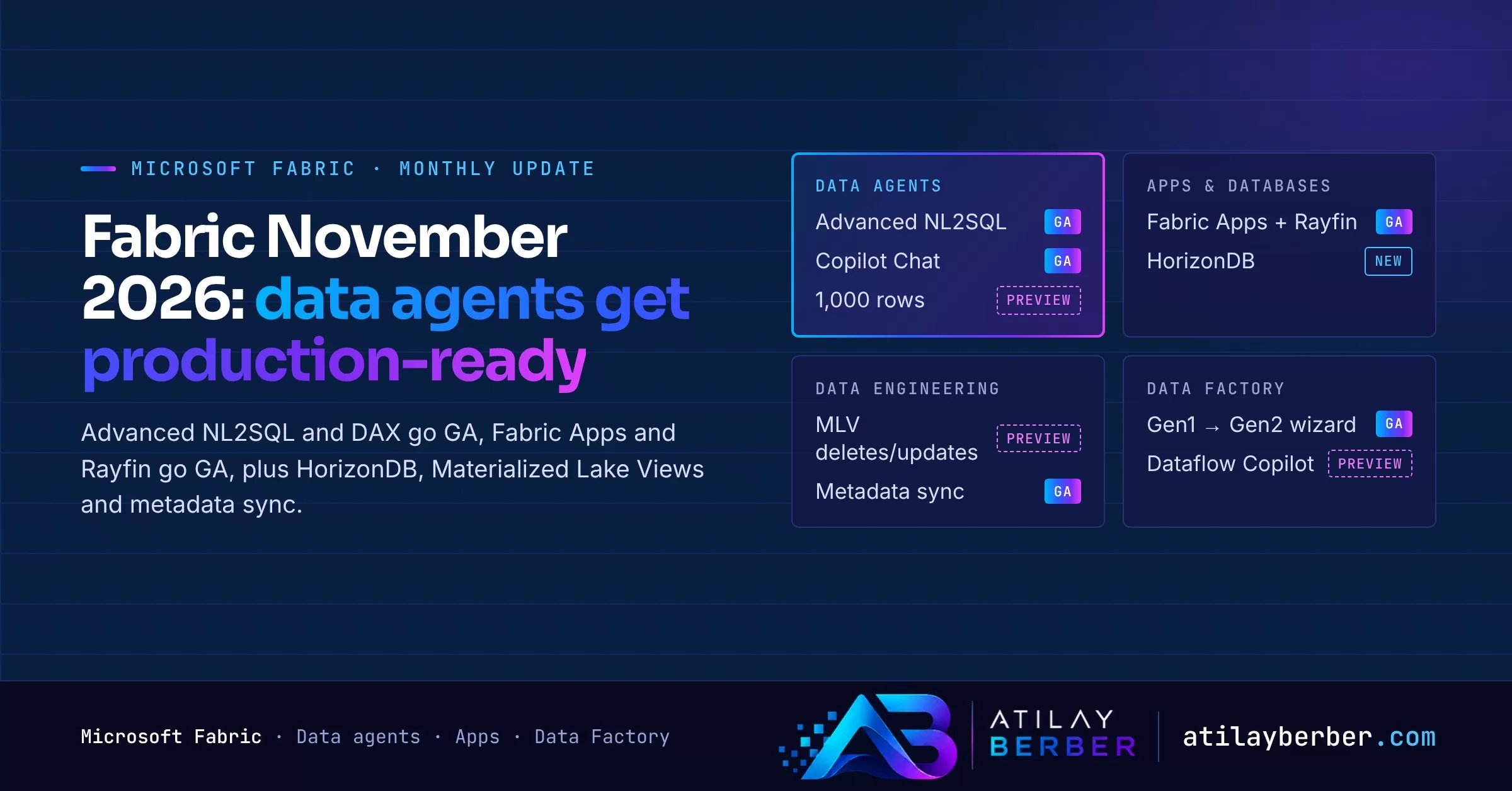
The Fabric November 2026 feature summary came out during Ignite week, and it is the last one of the year: Microsoft says there will be no December summary and updates resume in the new year. That explains the length. Two themes carry most of the weight. Data agents (what Fabric calls “conversational analytics”) pick up a series of GA releases that make them much closer to production-ready, and Fabric Apps and Rayfin reach general availability alongside a new serverless PostgreSQL database, Fabric HorizonDB. There are also meaningful steps in Materialized Lake Views, SQL analytics endpoint metadata sync and Dataflow Gen2.
Below I go area by area, with the status of each update (GA, preview or new) and where it is likely to matter in practice. This post is part of the Monthly Update Notes series on the site; the Power BI side of the month has its own post.
At a glance: what’s new in Fabric for November 2026?
| Update | Area | Status |
|---|---|---|
| Preview versions of the Domains REST APIs removed | OneLake | Breaking change |
| Power Query in notebooks (notebookutils.powerquery) | Data Engineering | Preview |
| Environment publishing logs API, JFrog Artifactory | Data Engineering | Preview |
| Materialized Lake Views: optimal refresh for deletes and updates | Data Engineering | Preview |
| Materialized Lake Views: more SQL clauses, failure emails | Data Engineering | New |
| Materialized Lake Views: file data ingestion | Data Engineering | Preview |
| New metadata sync for SQL analytics endpoints | Data Warehouse | GA (upgrading existing ones in preview) |
| Advanced NL2SQL and Advanced DAX | Data agents | GA |
| Data agents in Microsoft Copilot Chat, Fabric in M365 Agent Builder | Data agents | GA |
| 1,000 rows on the standard runtime | Data agents | Preview |
| Topics, query templates, semantic model configuration | Data agents | Preview |
| Observability with Application Insights and Foundry | Data agents | New |
| Smart Query Acceleration | Real-Time Intelligence | Preview |
| Activator alerts for Data Warehouse | Real-Time Intelligence | GA |
| Fabric Apps and Rayfin | App development | GA |
| Fabric HorizonDB (serverless PostgreSQL) | Databases | New |
| New Copilot experience in Dataflow Gen2 | Data Factory | Preview |
| Dataflow Gen1 → Gen2 Upgrade Wizard and API | Data Factory | GA |
| Mapping Data Flow Transforms, PostgreSQL destination | Data Factory | GA |
OneLake
The preview Domains REST APIs are gone
This is the quietest item of the month and the most urgent one. Microsoft had announced March 31, 2026, as the retirement date for the preview versions of the Domains REST APIs, and switched the default behavior to the GA version in August 2026. As of November 2026 the preview APIs are removed completely: any call that still explicitly asks for the preview version now fails. Affected APIs: Create Domain, Get Domain, List Domains and Update Domain. The GA contract has breaking changes compared to the preview.
My take: if you manage domains through scripts or automation, search your code for the preview parameter this week. For a similar admin-API approach on the connection side, see Governing Fabric Connections.
Data Engineering
Reading data with Power Query from notebooks (preview)
Fabric notebooks can now run Power Query M queries through existing Fabric connections. With the new notebookutils.powerquery, you run an M query and load the result straight into the notebook. Gateway-backed connections also let notebooks reach supported on-premises sources that Fabric compute can’t access directly. The first release is read-only.
Where it helps: teams that had to build a pipeline or a dataflow just to get on-premises SQL Server or file share data into Spark. If the connection and gateway already exist, exploratory analysis comes down to a single cell.
Environment publishing logs and JFrog Artifactory (preview)
- Publishing logs API: the Fabric environment public API now returns publishing logs, so you can monitor environment publishing in automated workflows and investigate failures without opening the UI.
- JFrog Artifactory: environment items can use JFrog Artifactory as a package repository, which makes it easier to bring company-approved packages into Fabric libraries under the same rules you already use.
Materialized Lake Views: four updates at once
Materialized Lake Views (MLVs) get more updates than any other item this month:
- Optimal refresh for deletes and updates (preview): optimal refresh is no longer limited to append-only data. Enable CDF on the source tables and add
REFRESH_HINT UNIQUE(...)to the MLV definition; the column or column combination must uniquely identify each row in the view’s output. - Broader SQL support: optimal refresh now works with
RIGHT OUTER JOIN,LEFT ANTI JOIN,CROSS JOINandORDER BY, so more existing queries refresh incrementally without a rewrite. - Failure emails: when a scheduled MLV run fails, the Entra users or groups you choose get an email with error details and a link to the failed run.
- File data ingestion (preview): CSV and Parquet files in OneLake can be ingested directly into an MLV with a
USING OneLake_Filesclause. The bronze layer becomes part of the same declarative flow, lineage and monitoring instead of a separate pipeline.
My take: taken together, file ingestion and delete/update support bring MLVs genuinely close to the “one programming model from raw files to gold” promise for the first time. A detailed guide on building a medallion architecture with MLVs is coming to the site soon.
Data Warehouse
New metadata sync for SQL analytics endpoints (GA)
The lag between data landing in a lakehouse and being queryable from the SQL analytics endpoint has been one of the most common complaints. The new metadata sync is now GA: a new architecture parses Delta logs and handles data and schema changes in separate background processes, while on-query refresh detects stale data at query time and refreshes the table. Microsoft says data becomes queryable in seconds rather than minutes.
- It is on by default for new workspaces and for new endpoints in existing workspaces. Setting: Workspace settings > Warehouse settings > New metadata sync (this doesn’t upgrade existing endpoints).
- Upgrading existing endpoints (preview): check the state with the GetStatus API, run the Preflight API to find tables that need attention, fix the findings and rerun Preflight, then call the Upgrade API and track the long-running operation.
- For monitoring, the
sys.dm_db_external_tables_log_statusDMV shows the last sync time, processed Delta log and checkpoint versions, and blocked status.
A practical note: if your pipelines write to a lakehouse and read it right away from Power BI or SQL, and you added a “wait a minute” step or a manual metadata refresh call, plan to revisit those after the upgrade. Start by looking at Preflight results on a test endpoint.
Data agents (Conversational Analytics)
There are seventeen separate data agent items this month. Rather than go through each one, I group the ones that matter most for production. I covered basic setup in Fabric Data Agents: Building an Agent That Talks to Your Data in Teams.
Accuracy: Advanced NL2SQL and Advanced DAX (GA)
- Advanced NL2SQL: instead of generating SQL in one shot, the agent uses sub-tools to explore the schema, test joins and look up real filter values. It can follow your example queries with approved modifications (filter or parameter substitutions) and ask clarifying questions when needed. Every step and assumption can be inspected. In Microsoft’s internal benchmarks, smart-answer accuracy rose from 78.8% to 90.9% and P95 latency dropped from 46.8 to 32.9 seconds. It is on by default for agents on the standard runtime.
- Advanced DAX: for complex questions over semantic models, the agent reasons in several steps: inspecting model metadata, resolving ambiguity and reviewing intermediate results. Instance value indexing matches the user’s wording to values stored in the model, which produces more reliable filters.
Configuration: topics, query templates, semantic model settings (preview)
- Multiple topics for SQL sources: separate markdown files per business area or dataset instead of one long instruction block. The agent picks the most relevant topic and uses only what it needs. Topics are part of Git integration, so the team can version and review them.
- Query templates: ready-made static or parameterized queries for the most common questions, for both SQL sources and Power BI semantic models. When a question matches, the agent fills in the parameters and runs it (typically under 15 seconds, per Microsoft); otherwise it falls back to regular NL2SQL/NL2DAX and uses the templates as examples.
- Configuring semantic models inside the agent: descriptions, instructions, example queries and column/measure-level schema selection in one place. The same model can be tuned differently per agent, and Prep Data for AI settings can be imported.
- Datetime awareness (preview runtime): “yesterday” or “last month” now resolves in the user’s own time zone; timestamp columns are treated as UTC by default, and you can declare a different zone in the data source instructions.
- Build with AI: generate topics and semantic model configurations with AI help and review them before saving.
- Semantic model topics (preview): semantic models can carry long-form guidance with business rules, examples and analysis procedures, because the space in Prep for AI was too limited. Authoring is skill-based for now, with a UI planned. This ties into the question of what a Fabric IQ ontology is actually for, which I discussed in Is Your Semantic Model Enough?
Reach: Copilot Chat, Agent Builder and 1,000 rows
- Data agents in Microsoft Copilot Chat (GA): add a published agent to a chat through Add content > Fabric, much like attaching a Word document, and ask away.
- Fabric in Microsoft 365 Copilot Agent Builder (GA): turn on the Fabric capability and existing Power BI reports and semantic models become available to the agent without setting up individual data sources; existing permissions apply.
- 1,000 rows (preview): agents used to return at most 25 rows. On the standard runtime they now return a summary plus a table preview of up to 1,000 rows. For now this is only in the Fabric UI; MCP, Copilot Studio, Foundry and Microsoft Copilot integrations, and Excel downloads with sensitivity labels, are coming over the next few months.
- Rayfin connector: connect a Rayfin app to a data agent to build a Q&A app on top of it.
Trust and monitoring
- Citations: from an answer in Microsoft Copilot, “View response details” opens Fabric with the reasoning steps, the data used and the query behind it.
- User feedback (preview): once a Microsoft 365 admin turns on “Agent feedback sharing”, thumbs-up/down ratings and comments from Copilot show up in the agent UI.
- Application Insights and Foundry Observability: agent logs and traces can go to Application Insights. Two tenant settings control what is sent: operational details (agent and source names) are on by default; user-level data such as prompts, responses and generated queries is off by default. Traces for agents used as tools in Foundry can now include the query the agent ran.
My take: this month’s package moves data agents from demo territory toward something you can measure and audit. Before turning on user-level traces, though, agree with your governance team on where prompts and answers will be stored and who can read them. They are off by default for a reason.
Real-Time Intelligence
- Smart Query Acceleration (preview): for external Delta tables over OneLake shortcuts, Eventhouse no longer needs a fixed hot-cache period for query acceleration. It adjusts automatically between
MinHotandMaxHotbased on query patterns, with a Performance or Cost profile. Example:.alter external table MyExternalTable policy query_acceleration '{"IsEnabled": true, "MinHot": "1.00:00:00", "MaxHot": "30.00:00:00", "Profile": "Performance"}' - Activator alerts from Fabric Maps (preview): define what to monitor, the condition and the action straight from a supported map layer.
- Activator for Data Warehouse (GA): set an alert on the result of a T-SQL query in the warehouse query editor, with email, Teams or a Fabric item as the action. Works in private-link-protected workspaces too.
- Stopping ingestion in Activator: when you stop or delete the last rule on a source, you can stop ingestion in one step to free capacity units. The sample scenario now uses live bike-station data.
A practical note: Activator on a warehouse makes rules like “tell me if today’s load wrote zero rows” possible without a separate monitoring pipeline. And remember to stop ingestion on sources with no rules left; it consumes capacity even when nothing is running.
App development and databases
Fabric Apps and Rayfin (GA)
Fabric Apps and Rayfin, the platform behind them, are now generally available. Rayfin brings databases, authentication, backend functions, storage and observability into one platform, and apps can work directly with semantic models, warehouses and lakehouses. New this month:
- OneLake storage: images, documents and other files can be stored and served alongside relational data.
- PostgreSQL support: through Fabric HorizonDB, apps can use SQL or PostgreSQL.
- Building apps in Microsoft Copilot: users describe the app in natural language, and Fabric supplies the database and backend as it grows.
- Power BI Pro and Power BI Desktop: app building opens up to Pro users, and existing semantic models can be turned into interactive apps from Desktop.
- Apps view in the OneLake Governance hub: admins can see apps across the organization and block or unblock them. New security controls: Content Security Policy (which external resources an app may load in the browser) and Secure Embed (requiring apps to run inside an embedded frame).
I discussed the app-versus-report question in Will Fabric Apps Replace Power BI Reports? My take: with Pro users and Copilot both able to build apps, the number of apps can grow fast. Review the Apps view in the Governance hub and the CSP settings before that happens.
Fabric HorizonDB
Fabric HorizonDB is a Fabric-native, serverless PostgreSQL database. You create it with New item in a workspace, connect with standard PostgreSQL clients and drivers, and it pauses and resumes automatically. What sets it apart is Federated Analytics, three integration patterns:
- Mirror: bring transactional data from HorizonDB into OneLake without building ETL.
- Query in place: query Fabric warehouse and lakehouse data from PostgreSQL without copying it.
- Load back: push curated datasets and analytical results from Fabric into HorizonDB for the application to act on.
The summary doesn’t state a GA or preview status for HorizonDB, so check the current status and region availability in the documentation before making production plans.
Data Factory
- New Copilot in Dataflow Gen2 (preview): a conversational experience that covers finding data, building queries, exploring results with charts, and investigating query folding and refresh failures. It asks for approval by default before replacing or deleting existing query content, and every save-and-run request needs confirmation.
- SharePoint and Azure browsers (preview): browse SharePoint sites and folders in Get data without copying URLs; on Azure, a filterable flat resource list replaces the subscription/resource-group hierarchy.
- Google BigQuery and Amazon S3 (preview): both arrive as data destinations, and S3 can also be a source.
- HTML document builder and HTML email bodies (preview): turn prepared data into formatted HTML documents and send them through an Outlook connection as part of a dataflow refresh.
- PostgreSQL data destination (GA).
- Dataflow Gen1 → Gen2 (CI/CD) Upgrade Wizard and Upgrade API (GA): now supported for production upgrades. New: users with the workspace Admin role and tenant admins can upgrade dataflows owned by others while keeping the owner and connections, and the assessment flags unresolved data source connections. A detailed post on planning the move is coming to the site soon.
- Mapping Data Flow Transforms (GA): visual, Spark-scale transformations, plus a path to bring Mapping Data Flows from Azure Data Factory and Synapse into Fabric with their logic intact.
- Viva Insights data via Copy job (preview): a scheduled, managed export of Copilot and workplace analytics data into your analytics platform.
What to do this month
- Check your Domains REST API calls this week; anything that asks for the preview version now fails.
- For SQL analytics endpoints, run the Preflight API on a test endpoint and plan the upgrade to the new metadata sync.
- If you run data agents, turn your most common questions into query templates, split long instructions into topics, and decide with your governance team what observability data to share.
- If you use MLVs, enable CDF and try
REFRESH_HINTon views with deletes or updates, and add failure emails to scheduled runs. - For Fabric Apps, review the Apps view in the Governance hub and the CSP/Secure Embed settings before the number of apps grows.
- If you still have Dataflow Gen1, use the Upgrade API assessment to list unresolved connections now.
Sources
With no Fabric summary in December, the next Fabric note comes in the new year. Which of these affects your environment most? Tell me on LinkedIn, I’m curious.
3 comments