

Author: @atilayberber
Setting up a Fabric data agent is easy. Getting it to write the right SQL every time is the hard part. If two users ask the same question in different words and the agent goes to different tables, or if “revenue” is a SUM in one answer and a COUNT in another, you lose trust no matter how clever the agent is. Microsoft’s most effective tool for this problem is example queries (few-shot examples) that tell the agent “this is how this question gets answered”. The November 2026 update takes it one step further with query templates.
In this post I cover how example queries are used inside the agent, how to validate and test them, what the new query templates change, and how to combine them with topics into a setup you can maintain. I covered the basic setup, and taking an agent into Teams, in Fabric Data Agents: Building an Agent That Talks to Your Data in Teams, so I won’t repeat that here.
At a glance
| Concept | What it does | Status |
|---|---|---|
| Example query | A question + correct query pair the agent learns from for similar questions | Available |
| Query template | A static or parameterized ready-made query that runs directly when a question matches | Preview (November 2026) |
| Topic | Splits long instructions into subject-based markdown files | Preview (preview runtime) |
| Advanced NL2SQL | SQL generation that explores the schema and follows examples more consistently | GA (November 2026) |
| Example validation and evaluation | Schema validation, quality scores, conflict detection | Available (SDK evaluation for SQL only) |
How example queries work inside the agent
For SQL sources (lakehouse, warehouse, Fabric SQL database, mirrored database), the agent’s NL2SQL tool roughly works like this:
- It reads the selected schema and the data source instructions.
- It finds the most similar example queries in your library using vector similarity against the user’s question.
- With that context it generates T-SQL, validates it against the approved schema and runs it. Queries run read-only through the SQL analytics endpoint.
Microsoft’s docs don’t agree on how many examples the agent gets: the example queries page says “typically the top four”, the configurations page says “the top three”. The practical takeaway is the same either way: on each question the agent sees a handful of the most similar examples, not your whole library. A small set of clear examples that cover different question types is worth more than a hundred near-duplicates.
Each example is a question plus its query, and each question should be unique. According to the docs, example queries are supported for lakehouses, warehouses and Eventhouse KQL databases. The example queries page lists semantic models and ontologies as not supported, yet the November 2026 summary says query templates now work with Power BI semantic models too. The docs may simply be behind the feature, so check in your own tenant.
Writing a good example query
Microsoft’s recommendations, with my comments:
- Map the question to the query one-to-one. Every value in the question (product name, year, region) should appear in the query. Microsoft’s validator measures exactly this with its “Mapping” score.
- Comment the query. A comment such as “revenue is the amount net of returns” helps the agent understand why it picked that table and that calculation.
- Show join logic and tricky patterns. Which tables join on which keys is where agents go wrong most often.
- Don’t write conflicting examples. Calculating the same metric with SUM in one example and COUNT DISTINCT in another leaves the agent with two “correct” answers.
- Use the way users actually talk. People don’t ask “Q1 2024 Product Alpha revenue”; they ask “what did Alpha make in the first quarter?”
- Debug with run steps. The run steps show which examples the agent picked up and what it did with them.
As an example, take a simple model with a Sales table (OrderNo, OrderDate, ProductKey, StoreKey, Amount, ReturnAmount) and a Store table (StoreKey, Region). An example that pins down the definition of “revenue” could look like this:
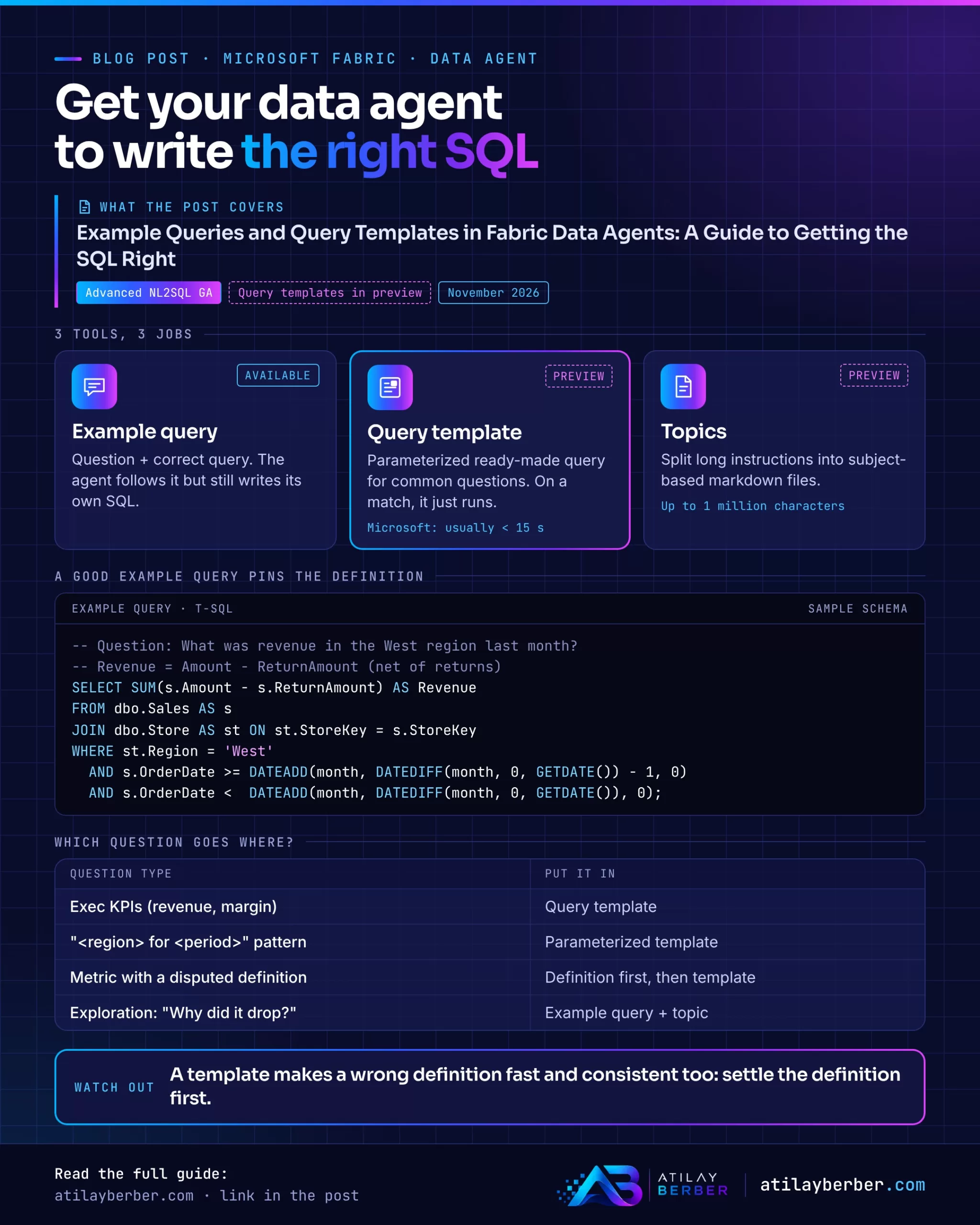
-- Question: What was revenue in the West region last month?
-- Revenue = Amount - ReturnAmount (net of returns). Region comes from the Store table.
SELECT SUM(s.Amount - s.ReturnAmount) AS Revenue
FROM dbo.Sales AS s
JOIN dbo.Store AS st ON st.StoreKey = s.StoreKey
WHERE st.Region = 'West'
  AND s.OrderDate >= DATEADD(month, DATEDIFF(month, 0, GETDATE()) - 1, 0)
  AND s.OrderDate <  DATEADD(month, DATEDIFF(month, 0, GETDATE()), 0);
That single example teaches the agent three things: the revenue formula, which table the region lives in, and how “last month” is calculated. The table and column names belong to a made-up schema for this post; adapt them to your own model.
Validating and testing your examples
Example queries aren’t “write once and forget”. Fabric gives you three layers of checks:
- Schema validation: every example is validated against the selected data source’s schema, and examples that fail are never sent to the agent. Rename a table and old examples can quietly drop out, so keep that in mind.
- Quality scores: the validator scores each example on Clarity (is the question clear?), Relatedness (does the query relate to the question?) and Mapping (do the question’s values appear in the query?). An example counts as high quality only when all three are positive.
- Conflict detection: it flags examples with the same intent that hit different tables, calculate the same metric at a different aggregation or grain, or return materially different results. Confidence ranges from 5 (high) to 1 (speculative).
You can also add and evaluate examples in bulk with the Python SDK. The pattern in the docs looks like this:
# datasource: a SQL data source object added to the data agent
examples = {
    "What was revenue in the West region last month?": "SELECT SUM(s.Amount - s.ReturnAmount) ...",
    "What were the top 5 products over the last 3 months?": "SELECT TOP 5 ...",
}
datasource.add_fewshots(examples)

result = datasource.evaluate_few_shots(batch_size=20)
print(result.success_rate, result.success_count, result.total_examples)
print(result.conflict_count)   # number of conflicting examples
Evaluation currently works only for SQL-based example queries; KQL isn’t supported yet. My suggestion: keep your examples in a markdown or JSON file and run this evaluation after every change. Your example library then behaves like a test suite.
Query templates: what changed in November 2026?
The November 2026 Fabric summary put query templates into preview. Here is the difference: an example query is a source of inspiration and the agent still writes the query itself. A template is a ready-made query for your most common questions:
- It can be static or parameterized. One parameterized template can answer the same question pattern for different regions, products or periods.
- It works for SQL sources and Power BI semantic models.
- You can create templates with Build with AI or with the context authoring skill.
- When a question matches a template, the agent fills in the parameters and runs the template instead of writing a query from scratch. According to Microsoft, that typically means answers in under 15 seconds, and more consistent ones.
- When no template matches, the agent falls back to its standard NL2SQL or NL2DAX tools and uses your templates as example queries to ground what it generates.
So templates don’t replace example queries; they are the production layer on top of them. Common questions whose answer must always follow exactly the same logic go into templates, and the long tail stays with example queries and the agent’s own reasoning. The official summary doesn’t give a syntax for declaring parameters, and at the time of writing the Learn pages didn’t either, so check the current “Data Agent Example Queries” documentation when you set them up.
Which questions should become templates?
A practical split:
| Question type | Where it belongs | Why |
|---|---|---|
| Management KPIs (revenue, margin, order count) | Query template | Everyone should see the same number |
| “Value for <region> / <product> in <period>” pattern | Parameterized template | One template, hundreds of variations |
| Common metrics with a disputed definition | Settle the definition first, then template | A template makes a wrong definition fast too |
| Exploratory questions (“why did it drop?”, “which segment differs?”) | Example queries + topics | Too varied to fit a pattern |
My take: the biggest risk with templates is that they make a wrong definition fast and consistent. Before turning a metric into a template, get the definition signed off by whoever owns it (finance, sales operations).
Topics and runtimes: the rest of the picture
Example queries answer “how”; instructions answer “what does this mean”. As instructions grow, a second tool comes in: topics.
- Topics (preview): for SQL sources, you split instructions into subject-based markdown files. The agent finds the topic that best matches the question and sends only the relevant sections to the NL2SQL tool. Up to 1 million characters of instructions are supported in total. Topics are part of Git integration, so the team can version and review them.
- Topic or data source instruction? Rules that must apply to every question (for example, “revenue is always net of returns”) stay in the data source instructions. Long explanations that only matter for certain subjects go into topics.
- Runtimes: the standard runtime is GA and the default for new agents. The preview runtime gets the latest changes first, and its behavior can change between releases. Topics and schema object descriptions are preview-runtime only for now. As of November 2026, Advanced NL2SQL is GA and on by default for agents on the standard runtime; in Microsoft’s internal benchmarks smart-answer accuracy rose from 78.8% to 90.9%. One of its most useful traits is that it follows example queries more consistently and adapts them by substituting filter values.
The pattern from the docs for switching runtimes with the SDK:
data_agent = FabricDataAgentManagement(data_agent_name)
data_agent.update_configuration(enable_preview_features=True)
config = data_agent.get_configuration()
print(config.enable_experimental_features)
Watch out: a published agent keeps running on its current runtime until you republish it with a different runtime selection. The runtime you test on may not be the one your users are on.
An end-to-end setup
When preparing a new data agent for production, this order works well:
- 1. Question inventory: in a 30-minute session with users, collect the 20 questions they ask most, in their own words.
- 2. Pin down definitions: each metric in those questions (revenue, active customer, days of stock) gets one definition, written into the data source instructions.
- 3. Example queries: write one or two clear examples per question type, with comments explaining join and date logic.
- 4. Evaluation: run the SDK evaluation and fix conflicts and low Mapping scores.
- 5. Templates: turn the 3–5 most frequent, clearly defined questions into parameterized templates.
- 6. Topics: if instructions have grown long, split them by subject (sales, stock, returns).
- 7. Measure: ask the same question set before and after the templates and note response time and accuracy. That simple table is the most honest evidence of whether the agent actually got better.
Things to watch
- Preview behavior can change. Templates, topics and the preview runtime are in preview, and Microsoft says plainly that behavior can change between releases. Don’t hang a critical production process on a preview feature alone.
- Schema changes break examples. When a table or column is renamed, examples that fail validation stop reaching the agent. Pair schema changes with a run of your example evaluation.
- The docs lag behind the features. On the number of examples (three or four) and semantic model support, the Learn pages contradict each other. Base decisions on tests in your own tenant.
- Permissions still apply. A template won’t show users data they can’t access, but a poorly designed one can still return a wider dataset than needed. Review row limits and sensitive columns.
Wrapping up
The quality of a data agent depends far more on the context you give it than on the model. Example queries are how you say “this is how this question gets answered”; query templates are the production layer that makes your most important questions fast and consistent. Settle the definitions first, manage your examples like a test suite, and only then turn the most common questions into templates.
Sources
- Fabric November 2026 Feature Summary – Microsoft Fabric Community
- Data agent example queries – Microsoft Learn
- SQL sources in Fabric data agent – Microsoft Learn
- Data agent configurations – Microsoft Learn
- Fabric data agent runtime – Microsoft Learn
I rounded up the rest of this month’s Fabric news in the Fabric November 2026 update. Which question gives your data agent the most inconsistent answers? Tell me on LinkedIn, I’m curious.