

Author: @atilayberber
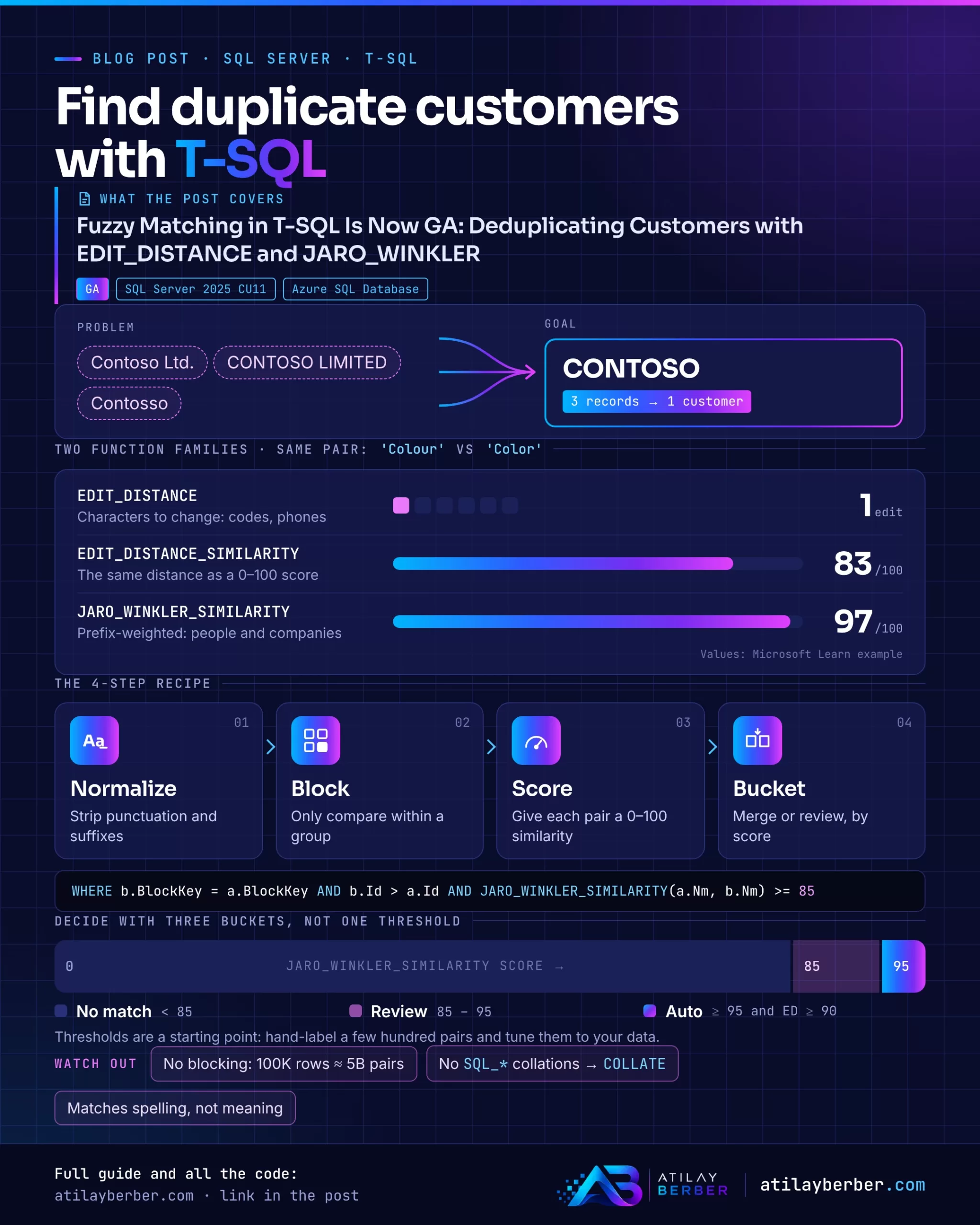
Every CRM has the same customer three times: “Contoso Ltd.”, “CONTOSO LIMITED” and “Contosso”. Equality (=) treats them as three customers, and LIKE catches either too little or too much. Until now, the usual answer was to push the job out to Python, SSIS Fuzzy Lookup or a CLR function.
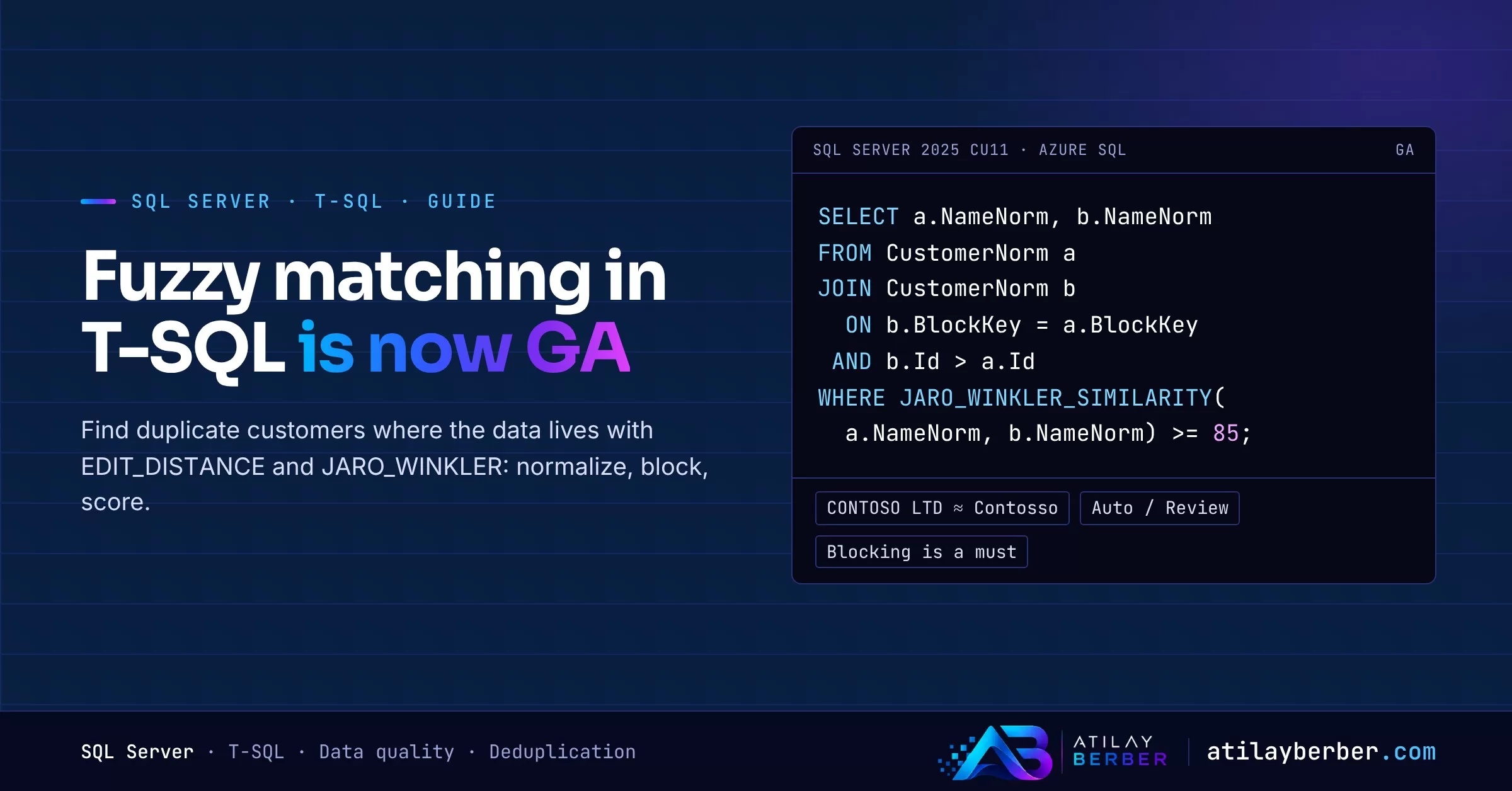
That changed in November 2026: T-SQL’s built-in fuzzy string matching functions are now generally available. On the SQL Server 2025 side, GA arrived with CU11, released on November 12, 2026, and GA for Azure SQL Database was part of the Ignite 2026 announcements on November 16. I mentioned these functions briefly as a “preview” bonus in my RegEx in T-SQL post; this time I’ll walk through an end-to-end customer deduplication scenario.
TL;DR
- Four functions:
EDIT_DISTANCE,EDIT_DISTANCE_SIMILARITY,JARO_WINKLER_DISTANCE,JARO_WINKLER_SIMILARITY. - GA: SQL Server 2025 CU11 and later, and Azure SQL Database. On older SQL Server 2025 builds they’re in preview and may need
PREVIEW_FEATURES. - No
varchar(max)/nvarchar(max). Windows and binary collations are supported;SQL_*collations aren’t. - The functions can’t use an index. On large tables, blocking (narrowing candidate pairs first) is a must.
Where can you use them?
| Platform | Status |
|---|---|
| SQL Server 2025 CU11+ | GA |
| SQL Server 2025 (before CU11) | Preview; PREVIEW_FEATURES = ON if needed |
| Azure SQL Database | GA (Ignite 2026) |
| Azure SQL Managed Instance | With the “SQL Server 2025” or “Always-up-to-date” update policy |
| SQL database in Fabric | Listed on Learn |
| Fabric Warehouse and SQL analytics endpoint | Listed on the function pages |
If you’re on a build older than CU11, you may need to turn on preview features at the database level:
ALTER DATABASE SCOPED CONFIGURATION SET PREVIEW_FEATURES = ON;The four functions at a glance
| Function | Returns | What it measures |
|---|---|---|
EDIT_DISTANCE(a, b [, max]) | int | Number of insertions, deletions, substitutions and transpositions needed to turn one string into the other |
EDIT_DISTANCE_SIMILARITY(a, b) | int, 0–100 | The same distance, normalized by length |
JARO_WINKLER_DISTANCE(a, b) | float | Jaro-Winkler distance; 0 means identical |
JARO_WINKLER_SIMILARITY(a, b) | int, 0–100 | Jaro-Winkler similarity; 100 is a full match |
The edit distance functions use Damerau-Levenshtein (Optimal String Alignment), so swapping two adjacent characters (“ab” → “ba”) counts as one operation, which matters for keyboard typos. Learn spells out the similarity formula: (1 - distance / length of the longer string) * 100.
Here are all four on the example from Learn:
SELECT EDIT_DISTANCE(N'Colour', N'Color')            AS ed,   -- 1
       EDIT_DISTANCE_SIMILARITY(N'Colour', N'Color') AS eds,  -- 83
       JARO_WINKLER_DISTANCE(N'Colour', N'Color')    AS jwd,  -- 0.0333...
       JARO_WINKLER_SIMILARITY(N'Colour', N'Color')  AS jws;  -- 97
A few behaviors worth knowing:
- If either input is
NULL, the result isNULL. EDIT_DISTANCEtakes an optionalmaximum_distance. If the real distance is higher, the function returnsmaximum_distance + 1. In Learn’s example, “Chocolate” vs “Sweets” is 8 without a limit and 3 withmax = 2.- Case and accent sensitivity follow the input collation.
Which one, when?
The two families react to different kinds of errors. Learn’s comparison sums it up nicely: “Microsoft” vs “Msft” has an edit distance of 5 but a Jaro-Winkler distance of about 0.49.
- Edit distance: codes, product numbers, email addresses, phone numbers, where lengths are similar and every character matters equally. It answers “how many characters are wrong?”
- Jaro-Winkler: person and company names. It gives extra weight to a shared prefix, and since the start of a name is usually typed correctly, it tends to do better on names.
- In practice, using both beats trusting either one alone: find candidates with Jaro-Winkler, then tighten the decision with edit distance.
End-to-end example: deduplicating customers
The setup: dbo.Customer has CustomerId, CompanyName and City, and we want to find different spellings of the same company.
1. Normalize
Fuzzy matching quality depends mostly on cleanup. Strip punctuation, extra spaces and accents first. There’s one trap here: if the source column uses SQL_Latin1_General_CP1_CI_AS, the default on many installs, the fuzzy functions don’t support it. Fix it up front with COLLATE; an accent-insensitive Windows collation also helps with names like “Müller” vs “Muller”.
CREATE TABLE dbo.CustomerNorm (
    CustomerId int PRIMARY KEY,
    NameNorm   nvarchar(200) COLLATE Latin1_General_100_CI_AI NOT NULL,
    BlockKey   nvarchar(60)  COLLATE Latin1_General_100_CI_AI NOT NULL
);

INSERT INTO dbo.CustomerNorm (CustomerId, NameNorm, BlockKey)
SELECT c.CustomerId,
       n.NameNorm,
       UPPER(TRIM(c.City COLLATE Latin1_General_100_CI_AI)) + N'|' + LEFT(n.NameNorm, 2)
FROM dbo.Customer AS c
CROSS APPLY (
    SELECT UPPER(TRIM(REGEXP_REPLACE(c.CompanyName COLLATE Latin1_General_100_CI_AI,
                                     N'[^\p{L}\p{N} ]', N''))) AS NameNorm
) AS n;

CREATE INDEX IX_CustomerNorm_Block ON dbo.CustomerNorm (BlockKey) INCLUDE (NameNorm);
REGEXP_REPLACE removes everything that isn’t a letter, digit or space. Removing legal suffixes such as “LTD”, “LIMITED”, “INC” or “GMBH” in the same step improves accuracy further.
2. Block and score
Comparing every row with every other row means n·(n−1)/2 pairs: about 5 billion comparisons for 100,000 customers. Since the functions can’t use an index, that’s not practical. The fix is blocking: only compare rows in the same block (here, same city plus the first two letters of the name). The index on the block key turns the join into many small groups.
SELECT a.CustomerId AS IdA, b.CustomerId AS IdB,
       a.NameNorm   AS NameA, b.NameNorm  AS NameB,
       JARO_WINKLER_SIMILARITY(a.NameNorm, b.NameNorm)  AS JW,
       EDIT_DISTANCE_SIMILARITY(a.NameNorm, b.NameNorm) AS ED
INTO #Candidates
FROM dbo.CustomerNorm AS a
JOIN dbo.CustomerNorm AS b
  ON b.BlockKey = a.BlockKey
 AND b.CustomerId > a.CustomerId
WHERE JARO_WINKLER_SIMILARITY(a.NameNorm, b.NameNorm) >= 85;
The b.CustomerId > a.CustomerId condition produces each pair once and stops a row from being compared with itself.
3. Decision buckets
A single “merge above X” threshold is risky. Three buckets are safer: sure match, human review, no match.
SELECT IdA, IdB, NameA, NameB, JW, ED,
       CASE WHEN JW >= 95 AND ED >= 90 THEN N'Auto'
            ELSE N'Review' END AS Decision
FROM #Candidates
ORDER BY JW DESC, ED DESC;
The 85 / 90 / 95 values are only a starting point; the right thresholds depend on your data. Labeling a few hundred pairs by hand and seeing where false merges begin is the best half-day you’ll spend on this. Sending the “Review” bucket to a Power BI table or a simple approval screen works well.
4. Pick the surviving record
For pairs in the auto bucket, each duplicate needs one surviving record. A simple rule: the lowest Id wins.
SELECT IdB AS DuplicateId, MIN(IdA) AS SurvivorId
FROM #Candidates
WHERE JW >= 95 AND ED >= 90
GROUP BY IdB;
This rule doesn’t fully resolve chains (A≈B, B≈C, but A≉C). If you have many, run a few passes or choose the most recent, most complete row as the survivor. The ROW_NUMBER pattern from my window functions post handles that ordering.
Limits and gotchas
- Collation: Windows and binary (BIN, BIN2) collations are supported; non-binary
SQL_*collations aren’t. Learn’s workaround is aCOLLATEclause. - Data types:
varchar(max)andnvarchar(max)aren’t accepted; move long text into a bounded column first. - Performance: the functions aren’t sargable in a WHERE clause, and large joins without blocking will burn CPU or capacity. A block key built on the first letters misses typos at the start of a name; a second pass with a different key (the last four digits of a phone number, or a tax ID) closes that gap.
- No meaning: these functions compare spelling, not meaning. “Northwind Logistics” and “Northwind Cosmetics” look very close but are different companies. For semantic closeness, vector search is a separate tool.
- Before moving to CU11: the CU11 notes list a known issue where queries using
SESSION_CONTEXTin parallel plans might return incorrect results (it’s common in row-level security). XSLT scripting in the SSIS XML Task is now also disabled by default. Test the update in a non-production environment first.
My take
This GA isn’t a headline launch, but it changes where data quality work happens. Deduplication, master data matching and merging supplier lists can now run where the data lives, in a single T-SQL script, without a separate Python service or CLR assembly. My suggestion: pick your messiest table, try normalize → block → score → bucket over a weekend, and show the “Review” bucket to the business. Talking about real match quality is far more convincing than pitching an abstract data quality project.
Where do you clean up duplicates today: in the database, in your ETL tool, or in Excel? Let’s talk in the comments.
Sources
- Fuzzy string matching overview — Microsoft Learn
- EDIT_DISTANCE (Transact-SQL) — Microsoft Learn
- EDIT_DISTANCE_SIMILARITY (Transact-SQL) — Microsoft Learn
- JARO_WINKLER_DISTANCE (Transact-SQL) — Microsoft Learn
- JARO_WINKLER_SIMILARITY (Transact-SQL) — Microsoft Learn
- KB5129223: Cumulative Update 11 for SQL Server 2025 — Microsoft Support
- What’s new across Microsoft SQL at Microsoft Ignite 2026 — Azure SQL Dev Corner